
How to Unlock an Induction Hob – Complete UK Guide
Dinner’s half-cooked. The pan’s on the hob. And the controls have completely stopped responding. You press the touch panel. Nothing. You press it again, harder this time, as if that’ll make a difference. Still nothing. Then you spot it – a tiny padlock icon sitting in the corner of the display, completely unbothered.
Good news: this happens to almost everyone at some point, and it almost always takes less than 30 seconds to fix. The padlock isn’t a warning. It’s not a fault. It’s a safety feature that’s done its job a little too well.
Here’s how to clear it and what to do on the occasions when it isn’t quite that simple.
First, Figure Out Which Lock You’re Dealing With
This matters, because the two locks behave completely differently.
The control lock sometimes called the cooking lock activates on its own. It’s built in to stop you accidentally nudging the heat setting mid-cook, usually when a pan handle rests on the touch panel or you’re wiping the surface with a cloth. It’s temporary. Most of the time, a quick hold of the lock button is all it takes.
The child lock is different. Someone switched it on deliberately whether that’s you, a previous resident, or a small person who found the glowing buttons irresistible. Unlike the control lock, the child lock stays active after the hob is switched off. It’ll be there waiting for you next time you try to cook.
Both show up the same way on screen a padlock, a key, or the letters L or P depending on your brand. Neither means there’s anything wrong with the hob.
The Fix That Works on Most UK Hobs
Try this first, regardless of brand:
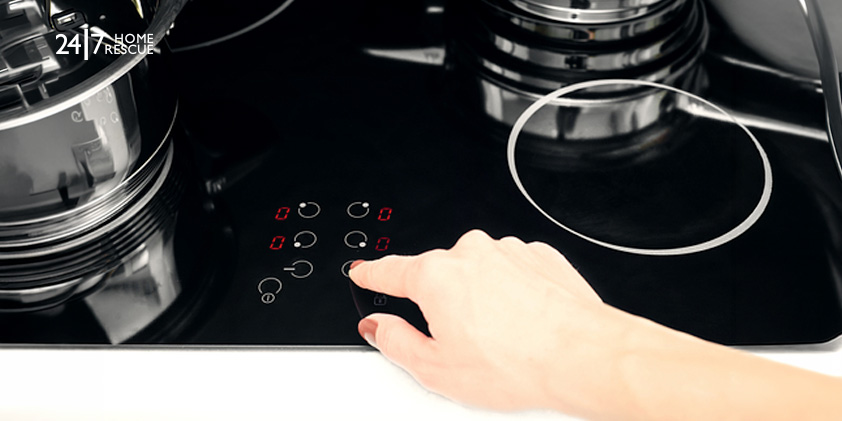
- Find the padlock, key, L, or P symbol on your control panel.
- Press and hold it for 3–5 seconds.
- Wait for a beep, or for the icon to disappear.
- Done select a zone and get back to cooking.
If nothing happens after a full 5 seconds, your hob needs a brand-specific method. Those are all below.
Worth knowing: Some older Neff models display “P” on screen when locked rather than a padlock or key symbol. Same fix press and hold the P for 3–5 seconds.
How to Unlock Your Specific Brand
Every method here has been checked directly against official manufacturer websites and documentation.
AEG
AEG uses the letter “L” to show when the hob is locked. What you do next depends on which lock is active.
Control lock – the simpler one:
Touch the lock symbol once. “L” lights up for about 4 seconds and then the previous heat setting comes back on its own.
Child lock – to switch it off completely:
- Press the power button to turn the hob on.
- Press and hold the lock symbol for up to 4 seconds keep holding until the indicator above it disappears.
- Press the power button to switch the hob back off.
Want to cook without fully disabling the child lock? AEG has a neat workaround for this:
- Press the power button to turn the hob on.
- Hold the lock symbol for up to 4 seconds.
- You have 10 seconds to select a heat setting and start cooking.
- When you switch the hob off later, the child lock automatically re-engages. Nothing to remember.
Beko
Beko is the brand that catches people out most often, and it’s because there are actually three separate locks not one or two. Getting the wrong one means pressing the right button in the wrong situation and wondering why nothing’s changing.
Cleaning lock (active while you’re cooking):
- Touch and hold the cleaning lock key until you hear a single beep.
- A 20-second countdown starts. The hob stays on but nothing else responds except the on/off button.
- After 20 seconds it clears itself with an audio signal.
- In a hurry? Hold the cleaning lock key again until you get two beeps that clears it immediately.
Child lock (active when hob is in standby):
- Make sure all cooking zones are switched off first this only works in standby.
- Press and hold the cleaning lock key and the stop-and-go key at the same time.
- One beep means it’s now on. Two beeps means it’s now off. “L” flashes on screen to confirm whichever just happened.
Key lock (active while the hob is in use):
- Same combination cleaning lock key and stop-and-go key simultaneously but this time with the hob running.
- Everything locks except the on/off button.
Bosch
Bosch is refreshingly straightforward. Same action activates and deactivates:
- Switch the hob off.
- Hold the childproof lock symbol for 4 seconds.
That’s it. If you have young children and want the lock to engage automatically every time the hob switches off, that’s configurable in the Basic Settings menu your manual’s childproof lock section covers it.
Miele
Miele shows “LC” on the display for a locked state. The exact unlock varies more than other brands because Miele produces several different control layouts across their hob range.
The most common methods:
- Touch the “+” and “−” sensors at the same time until “LC” clears.
- System lock only: Hold the lock sensor for 6 seconds.
- Safety lock: Hold the lock sensor and the sensor next to it simultaneously for 6 seconds.
If neither matches what’s on your panel, pull up your model’s operating instructions at miele.co.uk – you’ll need your model number. This is genuinely one case where the manual is the fastest route.
Neff
To switch the child lock on:
- Switch the hob off.
- Hold the clock icon for 4 seconds.
- The key icon lights up for 10 seconds that’s your confirmation.
To switch the child lock off:
- Press power to turn the hob on.
- Hold the clock icon for 4 seconds.
- Lock released.
Like Bosch, Neff lets you configure the child lock to re-engage automatically on power-off. Check Basic Settings if you want to enable or disable that.
Older Neff models: If your display shows “P” rather than a key symbol, hold the P for 3 seconds.
Zanussi
Control lock:
- Select a heat level.
- Touch the lock symbol once “L” comes on for 4 seconds, then the previous heat setting resumes.
- Touch it again to deactivate same 4-second “L” display, then you’re back to normal.
Child lock – to activate:
- Turn the hob on. Don’t select any heat level.
- Hold the lock symbol for 4 seconds until “L” comes on. Switch the hob off.
Child lock – to deactivate:
- Turn the hob on. Don’t select any heat level.
- Hold the lock symbol for 4 seconds until “0” appears. Switch the hob off.
Need to cook with the child lock still active?
- Turn the hob on “L” appears.
- Hold the lock symbol for 4 seconds.
- Select a heat level within 10 seconds and start cooking.
- Child lock re-engages automatically when you switch off.
Quick Reference for Other Brands
Model variations are real. If the steps above don’t match your control panel, your model may have been updated since this was written. Find your model number usually on a sticker underneath the hob or on the rear and download the manual directly from the manufacturer’s website. It’ll have the exact sequence for your version.
When Unlocking Doesn’t Work: The Power Reset
If the panel isn’t responding at all no reaction to any touch, not just a locked icon – the lock isn’t the issue. Something in the electronics has stalled.
A power reset is different from pressing the on/off button. You’re cutting power at the source.
- Switch off at the wall isolator switch or the circuit breaker in your fuse box.
- Wait at least 2 minutes. This isn’t arbitrary – the electronics need time to fully discharge.
- Frozen display or a fault code that won’t clear? Wait up to 30 minutes. Neff’s own support team recommends 5–10 minutes for frozen lock states – longer doesn’t hurt.
- Restore power, then try the unlock method again.
The Hob Responds But Nothing Heats Up: Demo Mode
This one puzzles a lot of people. Everything looks like it’s working the display lights up, the zones respond, you can select heat settings. But after five minutes the pan is still stone cold.
That’s demo mode. It was designed for showrooms so retailers can demonstrate hobs without generating heat. It occasionally gets left on after installation or gets triggered accidentally during a power cut.
The crucial point: switching off at the mains won’t clear it. Demo mode survives power cycles. You need a specific sequence for your brand.
- Bosch (PIE8..B): Disconnect from the mains. Wait 30 seconds. Reconnect. Touch any sensor on the control panel within 3 minutes. Done. *(Bosch Official User Manual, Document 9001609038\_C no service code required for this range.)*
- Neff (Flex/TwistPad models): Switch the hob on. Within the first 5 seconds, press “P” and the clock symbol simultaneously. A beep confirms it’s off.
- AEG: Hold the on/off button for 3 seconds to switch the display off. Then hold the Hob2Hood button for 3 seconds.
- Miele: Switch the hob on. Place induction-compatible cookware on a zone. Hold the correct sensor combination for 6 seconds. *(The exact sensors vary by model your operating instructions will specify.)*
For everything else, the manual’s Basic Settings section will have it listed under “Demo Mode” or “Showroom Mode.”
Error Codes: What They Mean and What to Do
Error codes mean different things on different brands the manual for your specific model is always the definitive reference.
Cracked glass stop what you’re doing. Don’t press the controls. Don’t put a pan on it. Don’t try to use it at all. The Bosch official manual is explicit: *”If the surface is cracked, switch off the appliance via the fuse in the fuse box rather than at the main switch, to prevent possible electric shock.”* The same applies regardless of brand. Get a certified engineer out before it’s used again.
Your Pan Isn’t Being Detected Here’s Why
Hob unlocked, power on, correct zone selected and nothing happens when you put the pan down. Before assuming something’s broken, check the cookware.
Induction only works with pans that have a ferromagnetic base. The hob generates a magnetic field and the pan needs to react to it. If the base isn’t magnetic, the hob physically cannot detect it no amount of troubleshooting will change that.
The magnet test is the fastest diagnostic tool you have. Press a standard fridge magnet firmly against the base of the pan not the side, the base.
- Sticks firmly and stays: compatible.
- Barely holds, slides, or falls: not compatible.
On stainless steel: this is where the confusion usually starts. Not all stainless steel works on induction. The Bosch user manual defines compatible cookware as “ferromagnetic cookware made of enamelled steel, cast iron, or special induction cookware made of stainless steel.” It explicitly lists plain aluminium, copper, glass, and non-magnetic stainless as unsuitable.
Here’s the practical bit many quality stainless steel pans have a bonded magnetic base layer built in, and they work perfectly. The specification on the box won’t always make this clear. Do the magnet test on the base, or look for the induction coil symbol (a looped line) stamped on the bottom of the pan.
A few other things worth checking:
- Pan too small for the zone? Try the zone below it.
- Slightly warped base? Reduced contact with the glass can prevent detection.
- Try a completely different pan first, just to rule out the cookware entirely.
Power Issues: When There’s No Display at All
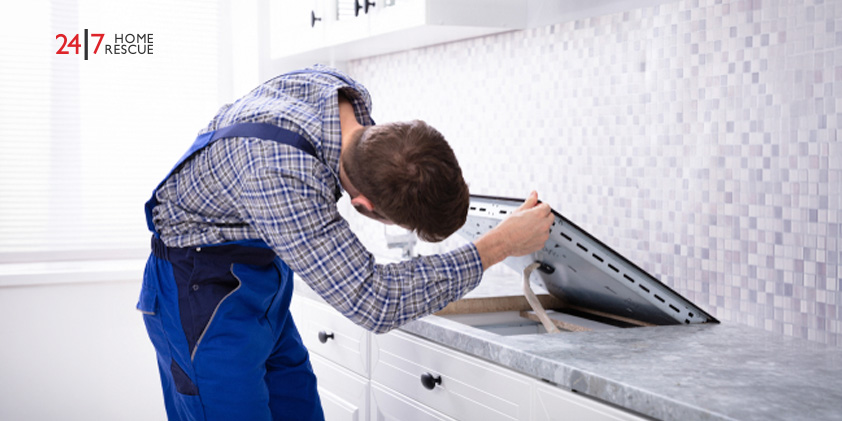
If the hob is completely dead no display, no response, nothing and this isn’t a lock issue:
Check the isolator switch first. It’s on the wall above or beside the worktop. It gets knocked off more often than you’d think, especially after kitchen cleaning or someone leaning against the units.
Check the circuit breaker. Induction hobs draw a lot of current. A tripped breaker is a common culprit, particularly in older properties or if the hob is on a shared circuit. If the breaker keeps tripping after you reset it, stop resetting it. The circuit may be undersized and needs an electrician.
After a power cut: do the full 2-minute mains reset before anything else. Power interruptions can leave the hob in an unexpected state that a proper reset clears.
Worth thinking about before you need it. If an engineer visit is on the cards, the bill for parts and labour on an induction hob can be significant especially if a control board or coil has failed. Appliance cover from 24|7 Home Rescue covers the cost of parts, labour, and the call-out itself, so you’re not hit with an unexpected bill at the worst possible time. Cover is available for hobs in good working order so now is a better time to look into it than after something goes wrong.

Appliance Insurance
Protect your essential Kitchen appliances from unexpected breakdowns. We provide coverage for numerous white goods, ensuring your peace of mind.
Still Not Working? Go Through These Five Steps in Order
- Try the unlock. Universal method first (3–5 second hold on the lock symbol), then the brand-specific steps above if needed.
- Power reset. Off at the mains, 2 minutes minimum. Up to 30 for a frozen display. Restore power, try again.
- Test the cookware. Magnet on the pan base. Try a different pan entirely if you’re not sure.
- Read the error code. Table above gives you a starting point. Cross-reference with your model’s manual for the exact meaning.
- Rule out demo mode. Hob responds but won’t heat? Follow the brand-specific demo mode steps.
Work through all five. If the issue still isn’t resolved after step five, the fault is likely linked to an internal component such as the control board, coil, or sensor. These types of problems should only be diagnosed and repaired by a qualified engineer. Unexpected appliance repairs can be expensive, which is why many homeowners choose hob insurance from 24|7 Home Rescue to help protect against the cost of eligible repairs and callouts.
Frequently Asked Questions
My induction hob locked itself in the middle of cooking is that normal?
Completely normal. The control lock often trips automatically if something rests on the touch panel while you’re cooking a pan handle, a folded cloth, even a splash of liquid. Hold the lock symbol for 3–5 seconds and it’ll clear straight away.
Why does it lock itself every single time I switch it off?
Your hob is configured to re-engage the child lock automatically on power-off. It’s a setting, not a fault, and you can change it. On Bosch and Neff models it’s in the Basic Settings menu under “Childproof Lock.” Your manual will show you the exact steps for your model.
I'm pressing the lock symbol and nothing is happening at all.
Two likely causes. First: the control panel is wet or greasy – even a thin film of moisture stops touch sensors registering. Wipe the surface dry with a cloth and try again. Second: the panel is genuinely unresponsive and needs a full power reset. Switch off at the mains, wait 2 minutes, try again.
The hob turns on and shows heat settings, but the pan never warms up.
Classic demo mode. A power reset won’t fix it. Find your brand in the demo mode section above and follow the specific deactivation steps.
Can I permanently disable the child lock?
Yes. The auto re-engagement on power-off is configurable on most UK hob models. Check the Basic Settings section of your manual usually listed under “Childproof Lock” or “Safety Settings.” You can typically set it to only activate when you deliberately switch it on.
At 24|7 Home Rescue, we aim to keep our blogs accurate and helpful at the time of publication. However, details such as images, services, or product information may change. Content is for general information only and not professional advice. For the latest updates, please review our Terms & Conditions or contact us directly. 24|7 Home Rescue accepts no liability for actions based on outdated or incomplete content. Our team is always happy to help with any questions.
Recent Posts
29 May, 2026
08 May, 2026
24 Apr, 2026
Popular Posts
24 Mar, 2015

13 Apr, 2015
Related Posts
How Often Should a Boiler Be Serviced?
29 May, 2026
How to Free a Stuck Diverter Valve: A ...
02 Mar, 2026
What is a Lockshield Radiator Valve?
17 Feb, 2026
How to Reset Ideal Logic Combi 30 Boil...
22 Dec, 2025
How to Reset a Worcester Bosch Boiler:...
01 Aug, 2025