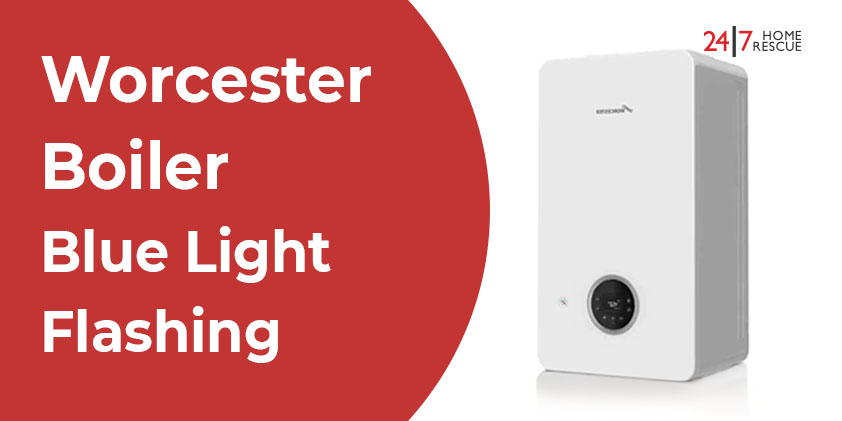
Understanding the Worcester Boiler Blue Light Flashing: Causes and Solutions
If you’ve recently noticed the blue light on your Worcester boiler flashing, don’t worry; you’re not alone. This blue light, which typically remains steady when your boiler is functioning correctly, serves as a crucial indicator of your boiler’s operational status. When it begins to flash, it signals an underlying fault or operational issue that needs attention. Knowing what it means and how to address the problem can help avoid the discomfort of cold showers and chilly living spaces.
In this guide, we will delve into the significance of the flashing blue light on your Worcester boiler, identify common causes, and offer advice on whether you can resolve the issue on your own or if you should seek assistance from a qualified Gas Safe engineer.
Key Insights:
- A steady blue light means your Worcester boiler is operating normally.
- A slow, flashing blue light indicates that the boiler is in standby mode or awaiting demand.
- A fast-flashing blue light signals a fault or lockout that requires attention.
- Common causes include ignition failure, a blocked condensate pipe, a faulty flame sensor, or issues with air pressure/fan.
- Try a safe reset if the fault is temporary. If the light continues to flash, call a Gas Safe engineer.
- Never attempt internal repairs yourself; it can be unsafe and void your warranty.
- In cold weather, check for frozen condensate pipes, a standard and easily fixable issue.
- Persistent flashing means your boiler has locked out for safety, requiring professional diagnosis.
What Does a Flashing Blue Light on a Worcester Boiler Indicate?

The flashing blue light on a Worcester boiler is an integral part of the unit’s self-diagnostic system. It’s programmed to alert users to potential issues that could affect the boiler’s performance or safety. Understanding what different patterns of the blue light signify is key to troubleshooting:
Steady Blue Light: This indicates that your boiler is functioning normally and there are no operational issues.
Slow Flashing Blue Light: If the blue light is slowly flashing, it suggests that the boiler is operational but is either in standby mode or awaiting demand to kick in for heating or hot water supply.
Fast Flashing Blue Light: A rapid flashing blue light points to a fault or lockout condition that requires immediate attention to restore function.
Common Causes of a Flashing Blue Light
Let’s take a closer look at the most prevalent reasons why your Worcester boiler’s blue light might be flashing, along with explanations of what each issue indicates:
1. Ignition Failure

One of the most frequent causes of a flashing blue light is an ignition failure. This occurs when the boiler attempts to ignite but fails to establish a stable flame.
Possible Causes:
- A blocked or dirty burner
- A malfunctioning ignition lead or electrode
- An interruption in the gas supply
- Low gas pressure
Solution: Start by attempting to reset your boiler (details on how to reset it are provided below). If the flashing continues, contact a Gas Safe engineer who can inspect the ignition components and assess the gas pressure.
2. Flame Detection Fault

Occasionally, the boiler succeeds in igniting but cannot properly detect the flame, resulting in the blue light flashing.
Possible Causes: This may be due to a dirty or faulty flame sensor (also known as a flame rectification probe).
Solution: Often, this issue can be resolved with professional cleaning or, if necessary, replacement of the flame sensor.
3. Air Pressure or Fan Issues

A malfunctioning fan or air pressure switch may prevent the boiler from venting exhaust gases safely, leading to a lockout indicated by a flashing blue light.
Solution: This issue is more complex and should be addressed by a qualified engineer, as it involves critical internal components affecting the combustion process and safe ventilation.
4. Condensate Pipe Blockage (Especially in Cold Weather)

In frigid temperatures, the condensate pipe may freeze, thereby causing the boiler to shut down and activate the flashing blue light as a protective measure.
Solution: Check the condensate pipe (the white plastic pipe that extends outside your home) for any signs of freezing. Carefully pour warm (not boiling) water over the pipe to thaw it. Afterward, reset the boiler to see if the issue is resolved.
5. Electrical or PCB Faults

Electrical issues, such as malfunctioning Printed Circuit Board (PCB) or problems with the wiring, can also trigger a flashing blue light.
Solution: While a reset may temporarily fix the issue, persistent flashing indicates that you should call a heating engineer for a thorough electrical diagnosis.
How to Safely Reset Your Worcester Boiler
If you’re confronted with a flashing blue light on your boiler, a reset might address a temporary fault. Here’s how to reset it safely:
- Locate the Reset Button: This is typically marked with a circular arrow symbol on the boiler.
- Press and Hold: Depress the reset button for 3-5 seconds until the blue light ceases to flash.
- Wait for Boiler to Restart: Allow the boiler some time to attempt ignition again.
If the blue light resumes flashing after you’ve reset or if the boiler fails to restart, it’s likely there is a more significant issue that requires professional intervention.
When the Blue Light is Steady but the Boiler Isn’t Working
If the blue light remains on (steady) but there’s no operational heating or hot water, this indicates that power is reaching the boiler, but the system itself isn’t igniting. This could result from faults in internal components like sensors, gas valves, or miscommunications between system parts.
Solution: Investigate any error codes displayed on the boiler; document these to share with your engineer, as they can help identify the root cause of the malfunction more efficiently. If problems persist, consider getting boiler cover to protect yourself from unexpected repair costs and ensure faster support when faults occur.
Why Does My Boiler Keep Flashing Blue?
If the blue light continues to flash repeatedly, it indicates that the boiler has entered a lockout mode as a safety precaution to prevent further damage or unsafe operation. Common triggers for this are:
- Gas supply issues
- Ignition failures
- Faulty sensors
- Overheating or blocked flue
This protective feature is designed to ensure your boiler only operates under safe conditions.
When to Seek Professional Help
While basic checks like resetting the boiler or defrosting the condensate pipe are manageable, it’s important never to attempt to open the boiler casing or perform complex repairs yourself.
Call a Gas Safe registered engineer if you experience any of the following:
- The blue light continues to flash after a reset
- You have no heating or hot water supply
- You detect a gas smell or suspect a gas leak
- Error codes appear and recur on the display
Attempting DIY repairs on a gas appliance is not only unsafe but could also avoid your boiler’s warranty. Always prioritize safety and rely on qualified professionals for repairs and maintenance.

Boiler Repair
Book your boiler repair service online and save time and effort. Our certified engineer will provide you with hassle-free assistance.
At 24|7 Home Rescue, we aim to keep our blogs accurate and helpful at the time of publication. However, details such as images, services, or product information may change. Content is for general information only and not professional advice. For the latest updates, please review our Terms & Conditions or contact us directly. 24|7 Home Rescue accepts no liability for actions based on outdated or incomplete content. Our team is always happy to help with any questions.
Recent Posts

02 Mar, 2026
Popular Posts
24 Mar, 2015


13 Apr, 2015